Trove for PC
Free-to-play RPG game from Trion Worlds
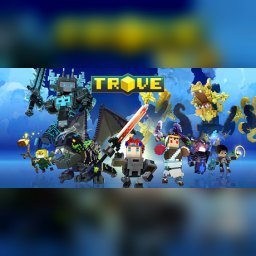
Grab your friends, hone your blades, and set off for an epic procedurally generated adventure in Trove! Battle the Shadow in realms filled with dungeons and items created by your fellow players. Whether hunting treasure or building realms of your own, it’s never been this good to be square!
Features
- Massive online world
- Online PvP multiplayer
- Mods from the Steam Workshop
- Online co-op with friends
- 19 Steam achievements
- Metacritic score: 65
Technical details
- Version
- Latest on the official website
- Developer
- Trion Worlds
- License
- Free to play
- Updated
- Nov 19, 2026
- Platforms
- Windows, Mac
System requirements
Windows 7 64-bit SP1 · Intel Core i5-2XXX @ 2.0GHz / AMD Phenom II X4 @ 2.6GHz · 4 GB RAM · Intel HD Graphics 3000 or better · 2 GB disk

Similar rpg
- Assassin's Creed Odyssey – In this action-adventure game, set sail for Ancient Greece to alter its fate
- Assassin's Creed Origins – Explore Ancient Egypt in this action-adventure game
- Assassin's Creed Unity – Paris, 1789
- Baldur's Gate 3 – RPG game from Larian Studios
- Blasphemous – RPG game from The Game Kitchen
- CODE VEIN – In the face of certain death, we rise
- Cyberpunk 2077 – RPG game from CD PROJEKT RED
- DARK SOULS II: Scholar of the First Sin – RPG game from FromSoftware, Inc
How to download and install Trove
- Click the green Download button on this page and get the official installer.
- Open the downloaded file (usually in your Downloads folder). If Windows asks "Do you want to allow this app to make changes?", click Yes.
- Follow the setup steps. Read each screen and keep the default options if you are not sure.
- When it finishes, start Trove from the Start menu.
Trove FAQ
Is Trove free?
Yes, Trove is free to download and use (Free to play).
Is Trove safe to download?
Our download button goes to the developer's official website or file, so you get the original installer. Its safety score on AllSoftwareAPK is 70/100.
Which systems does Trove run on?
Trove is available for Windows, Mac. Requirements: Windows 7 64-bit SP1 · Intel Core i5-2XXX @ 2.0GHz / AMD Phenom II X4 @ 2.6GHz · 4 GB RAM · Intel HD Graphics 3000 or better · 2 GB disk.